
Meeting With Teacher Viva AI Tool - Your Reliable Friend for Success
Do you need to prepare for your thesis defence? Are you readying yourself for job interviews? Meeting With Teacher is the platform where you can access our Viva AI tool for support just like you would at Interview Copilot. Our AI virtual assistant’s key features are professional-level insights, real-time response, and customized guidance to upgrade your performance and confidence.
Join Any Interview
Meeting with Ease

Get an Instant Interview Demo
How Interview Co-pilot supports you
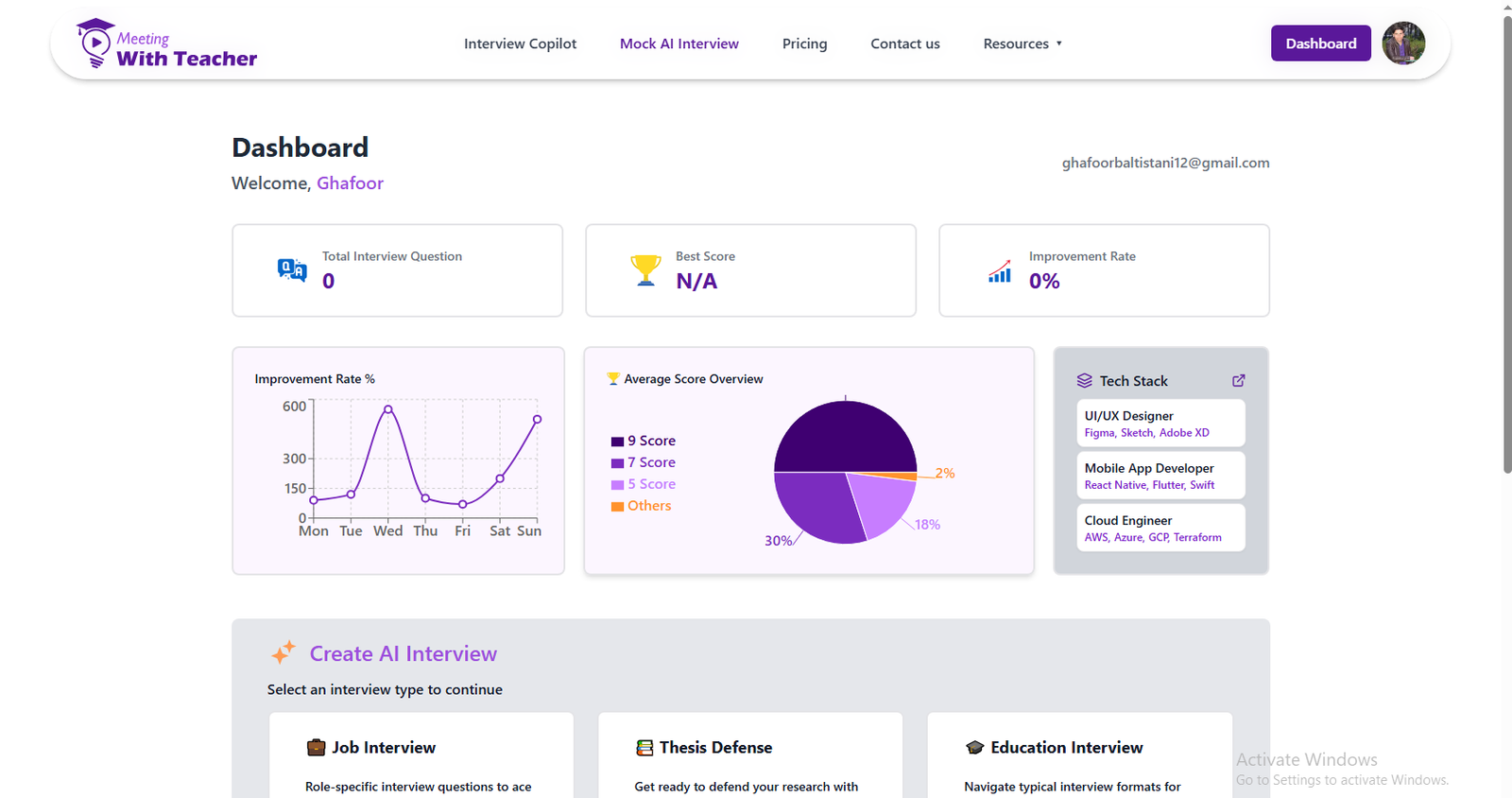
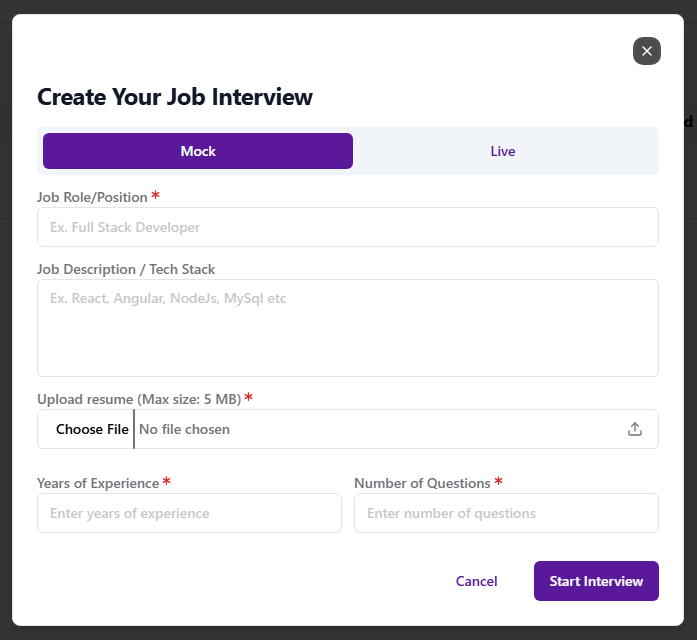
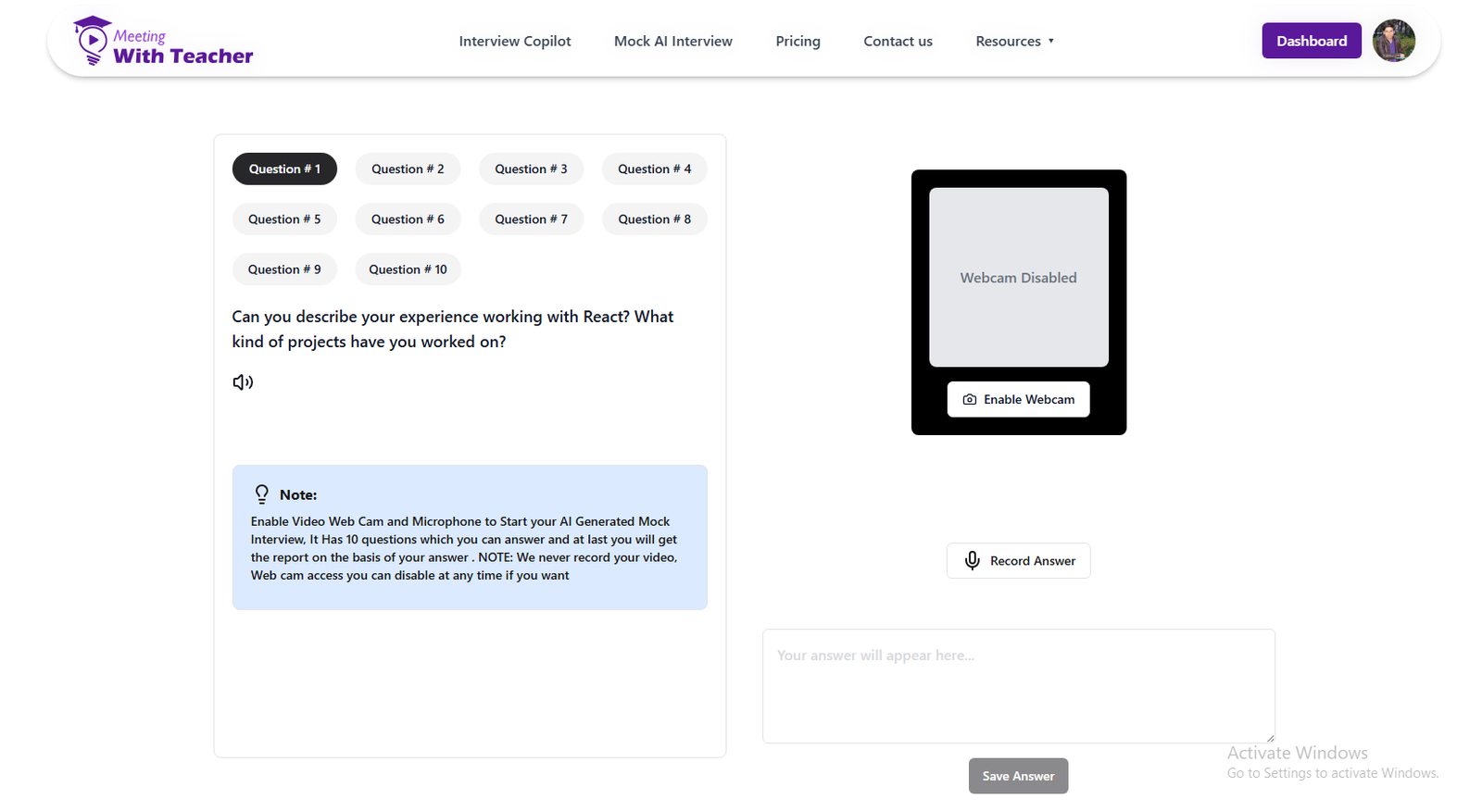
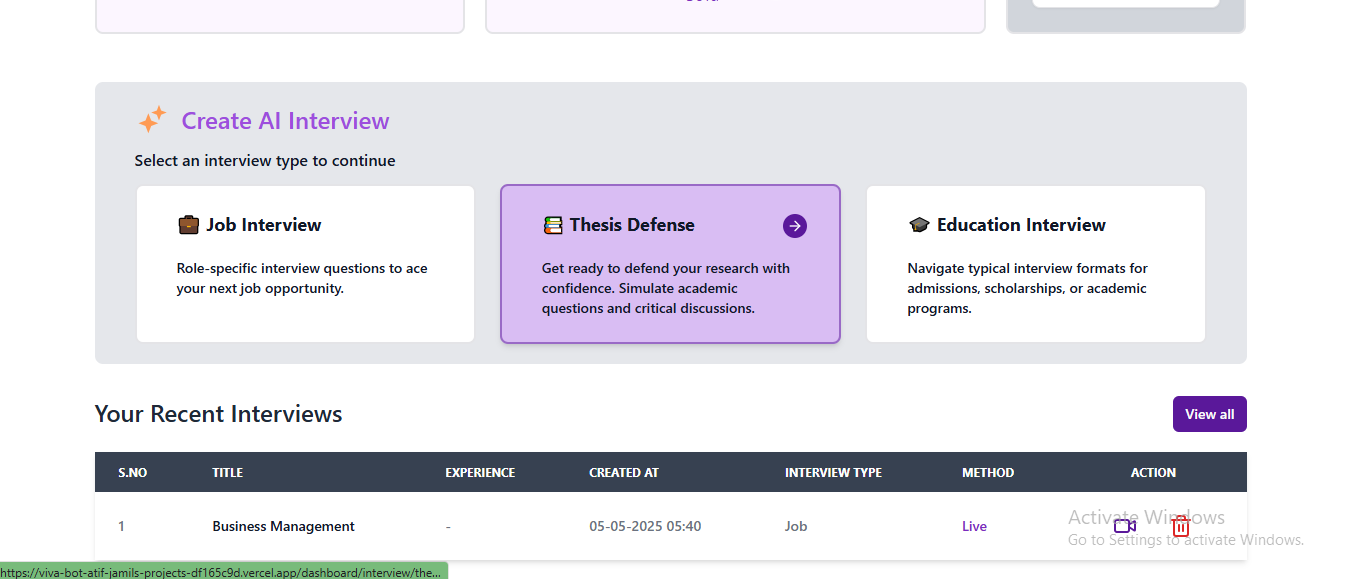
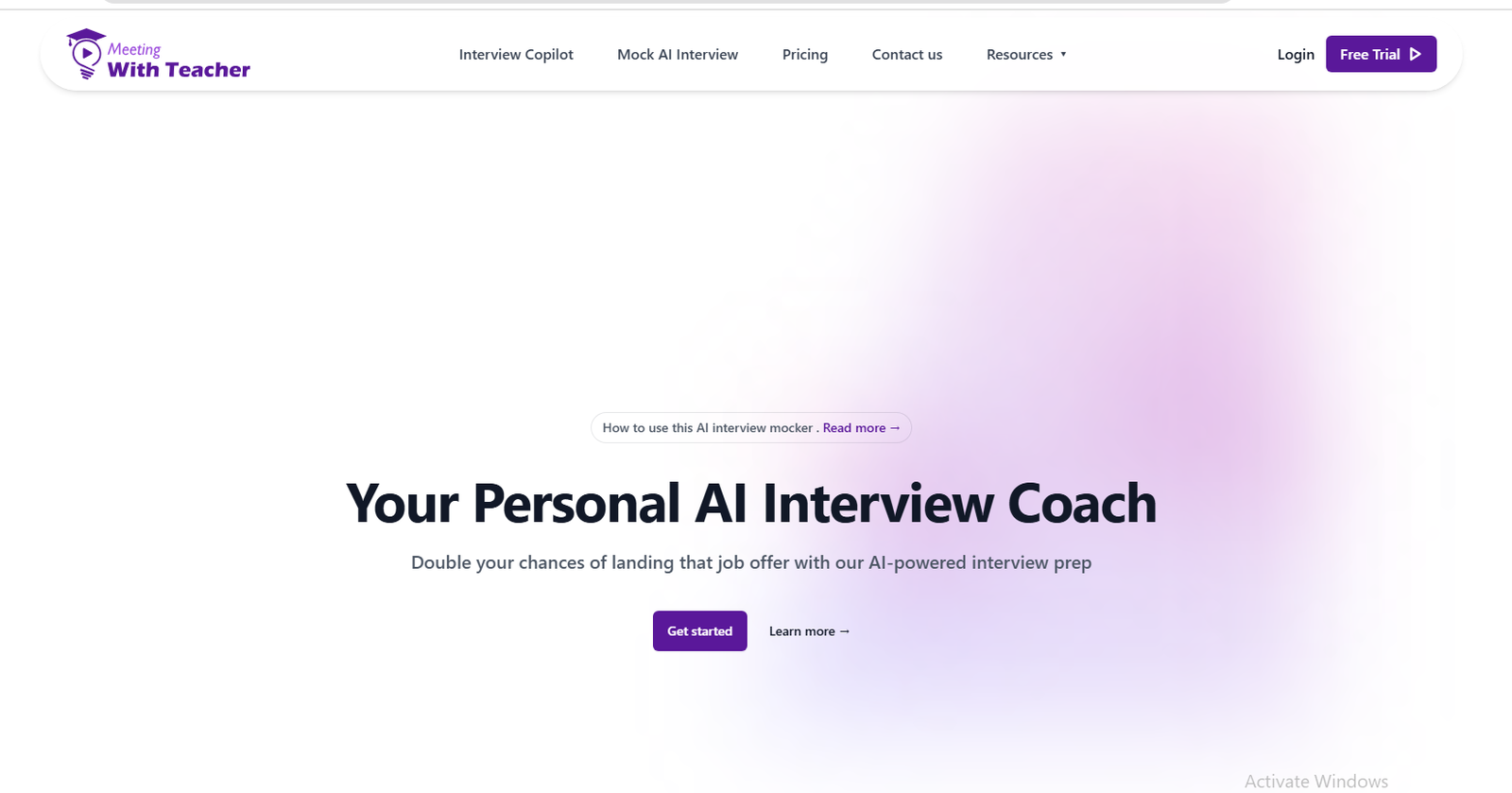
How Meeting With Teacher Helps You
How It Works - Your Best Interview Prep So Far
Access the AI Tool
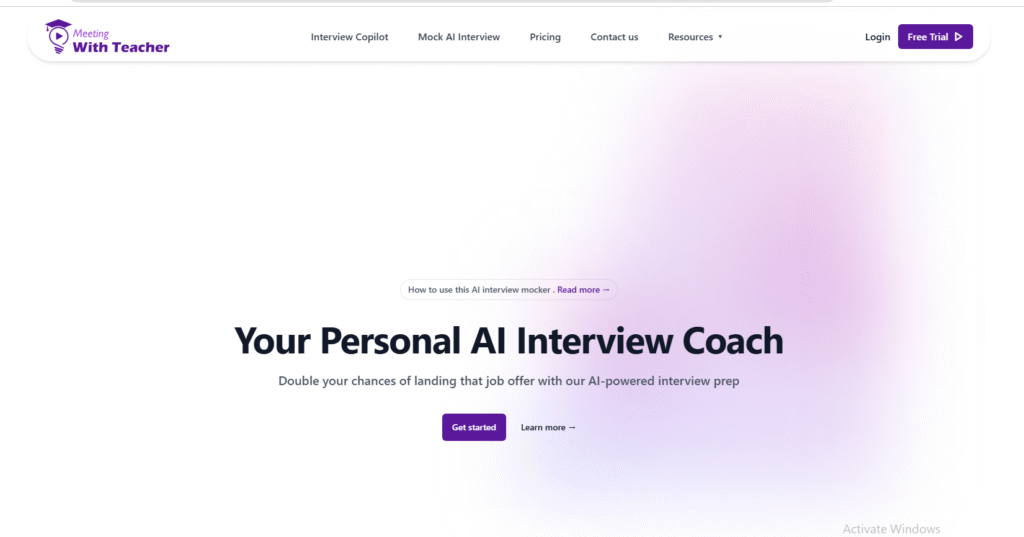
Access to our AI interview Coach tool
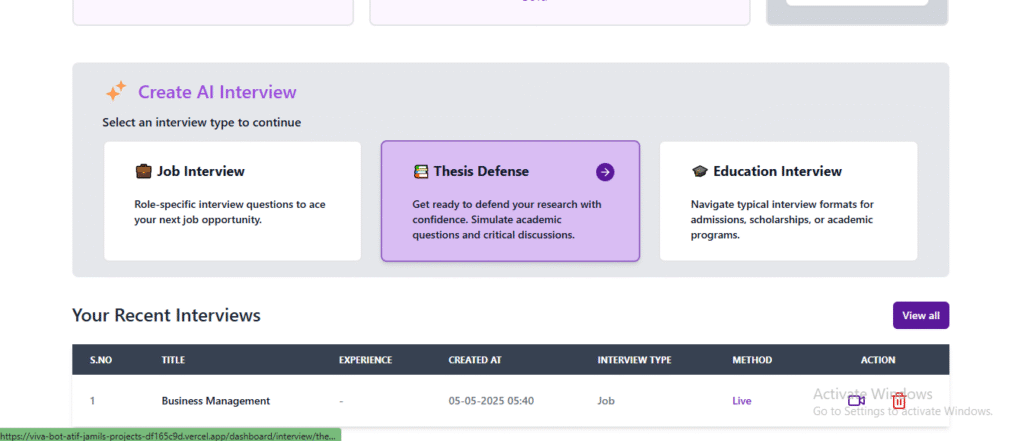
Access to Dashboard
Signup with your gmail account or Email Address to access our Services
Choose An Interview
Choose your topic you want to get interview
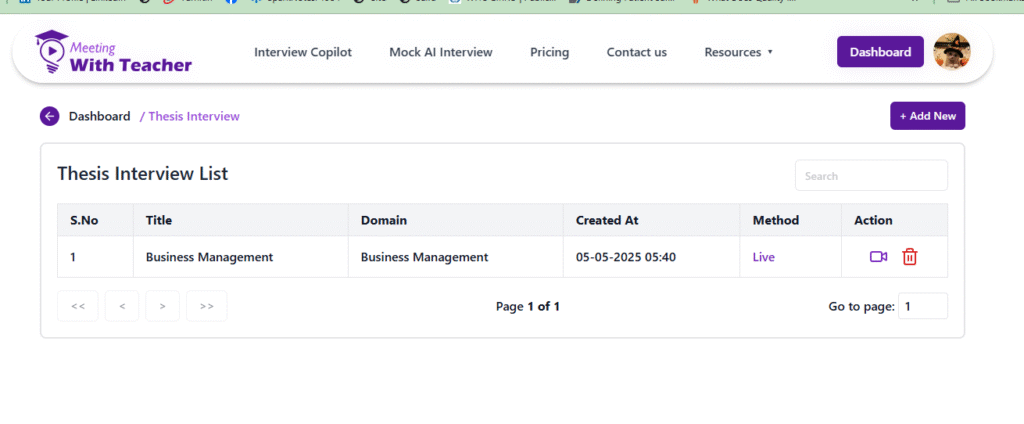
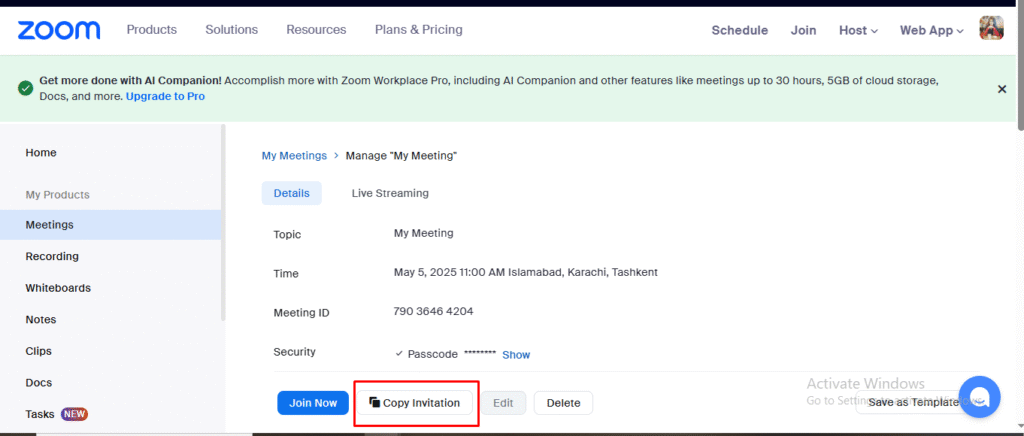
Get the Zoom Link
Now you get Invitation to zoom for interview
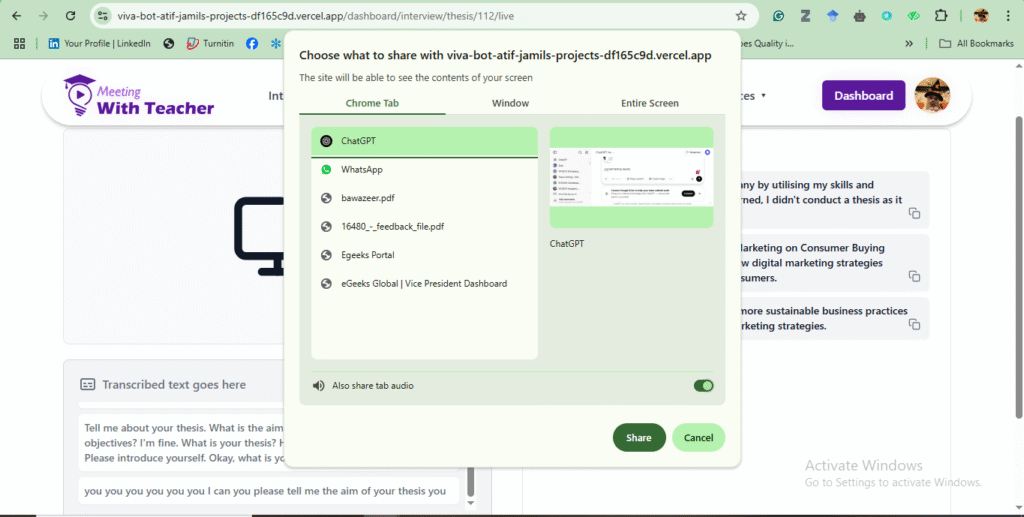
Choose the Mode you want
Choose whether you want to share screen or interview question
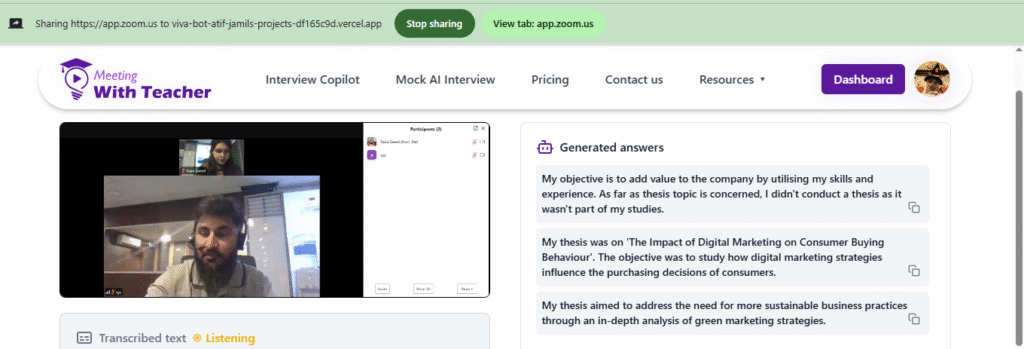
Live Zoom Meeting with Experts
Now you get live zoom meeting with our expert
Seamless Integration with Major
Meeting Platforms


Who can Utilize Meeting With Teacher Generation Tool?
Researchers & Students
Ready yourself for supervisor discussions, thesis defences, and academic meetings through our AI-structured feedback and Q&A sessions. Students who deal with the Viva Voce examination are always in need of such tools.
Career Changers & Job Seekers
Build confidence by getting real-time assessments and perfecting your answers to stand out in interviews and score your dream job.
Graduates & Young Professionals
AI-powered coaching can help you rise high in your career levels and it can prepare you for internships or entry-level positions or with thesis help

Pricing Plans - Find the Best Plan for You
Use our AI for interview help at a cost that is compatible with your budget.
Basic (Free)
Up to 500 words
$ 0 /15 min
2 free Mock up Interviews
- 2 Mock up Interviews total
- Limited AI Feedback (summary only)
- Standard Question Bank Access
- Essential Analytics (3 days)
Plus
Up to 10000 words
$ 35
360 min for Mockup + 180 min for Live Interviews
- 2 Mock up Interviews total
- Standard Question Bank Access
- 5$ to add new session as add on for (30 min)
- Structured Feedback
- Dashboard Access
- Session Replays
- Unused session minutes roll over when you renew before expiry
Pro
Up to 20000 words
$ 79
450 min for Mockup + 1350 min for Live Interviews
- 30 Mock up Interviews
- 10$ to add new session as add on for (45 min)
- In-depth Rubric Scoring
- Session Replays with AI Annotations
- Priority Support
- Unused session minutes roll over when you renew before expiry
Enterprise
On request (custom pricing)
$ Custom
Unlimited Minutes for live and Mock up Interviews.
- Priority Feedback
- Human Review Option
- Institutional Dashboard
- White-Label Reports
- Dedicated Account Manager
- Unused session minutes roll over when you renew before expiry
Viva Bot System Requirements
To ensure a smooth, reliable, and distraction-free experience with Viva Bot, please make sure
the following system and environment requirements are met.
Must-Haves (Before You Begin)
- Stable Internet: Minimum 5 Mbps upload speed
- Device: Personal laptop or desktop computer (Mobile devices not supported)
- Browser:
– On Windows: Latest Chrome, Edge, or Opera
– On macOS: Chrome only (Safari not supported) - Zoom or Google Meet account
- Microsoft Word installed
- Browser Permissions:
– Microphone access enabled
– Screen sharing permissions granted - Ad-blockers & Privacy Extensions: Disable or whitelist Viva Bot
- Audio Environment:
– Use a wired headset or quality headphones
– Be in a quiet, noiseless room
Recommended System Specs
Components
Operating System:
CPU:
RAM:
Audio:
Noise Control:
Browser:
Drivers:
Minimum Requirements
Windows 10/11 or macOS 10.15+
Dual-core processor or higher
4 GB or more
Wired headset or external microphone
Minimal background noise
Latest Chrome, Edge, or Opera
Up-to-date audio and display drivers
Unsupported Platforms & Browsers
Avoid using the following with Viva Bot:
- NO Mobile devices (iPhone, Android, iPad)
- NO Safari (macOS)
- NO Firefox or Internet Explorer
- NO Any mobile browser or virtual environments
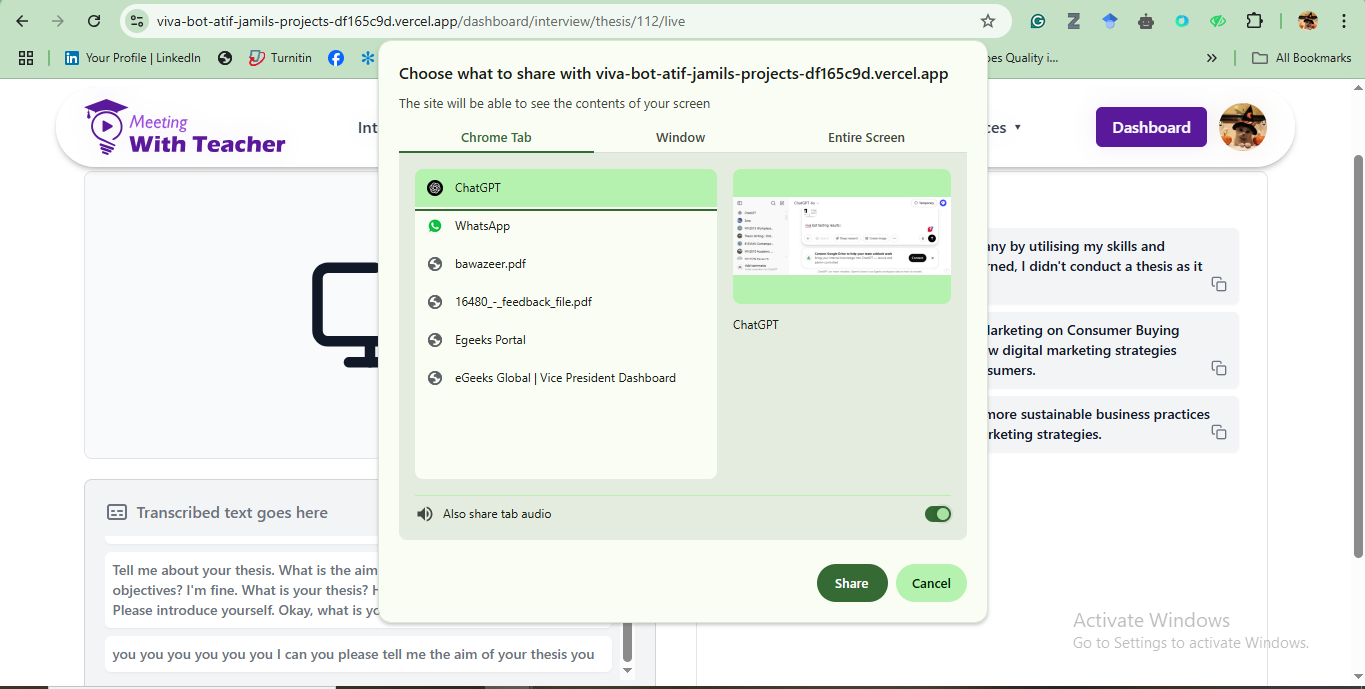
Audio & Screen Sharing Notes
- Audio Transmission Works with:
- Single Tab Share
- Entire Screen Share
2. Application/window share will not transmit audio.
|
Operating System
|
Browser
|
Screen Share
|
Audio Captured
|
Status
|
|---|---|---|---|---|
|
Windows
|
Chrome
|
Single Tab / Entire Screen
|
Yes
|
Fully Supported
|
|
Windows
|
Edge
|
Single Tab / Entire Screen
|
Yes
|
Fully Supported
|
|
Windows
|
Opera
|
Single Tab / Entire Screen
|
Yes
|
Fully Supported
|
|
Mac OS
|
Chrome
|
Single Tab / Entire Screen
|
Yes
|
Fully Supported
|
|
Mac OS
|
Opera
|
Single Tab / Entire Screen
|
Yes
|
Fully Supported
|
Testimonials - Our Users' Words
"There are many powerful AI editing tools that claim to help you out. Most of them have accuracy issues. They deliver high-quality performance for real. I did not believe I could land a job until I hired their services."
Paul Sai"Numerous tools, such as AI video creation ones, claim to prepare you with their text-to-video techniques. That is a good approach but they come up with a better one: their speech-to-text generation results in stunning results."
Jun MaedaMeeting With Teacher Speech-to-Text Viva AI Tool: Quality User Experience
The Purpose of Speech-to-Text Technology
Speech-to-text technology is now a vital aspect for businesses and individuals searching for accessibility and efficiency in their workflows. Whether used for automation, accessibility, diction, or transcription; our tool allows users to translate uttered words into text accurately and quickly. Check out our AI executive assistant tool today for your real-time viva oral test; you will be thrilled with positive results.
All the tool requires is a good enough prompt to transform your work into a desirable experience. Typically, the usage of such a tool is seamless and offers output to the maximum with minimal possible effort. Many clients have reported positive results of choosing our remote executive assistant.
From analyzing the platform to receiving the last text, intuition is ingrained in each step. A structured process is followed by a user of our STT tool, which ensures you get the best result imaginable with minimal hustle. This is how far we have come with our real-time virtual executive assistant.
Select an Input Method
Once a user logs in, they find two available options for input. You can either choose a live-recording option where you just have to click on the button and start interacting with AI. This method is particularly useful for online meetings, real-time transcriptions, viva help quick notes, and dictation.
The other option is to allow the user to upload a pre-recorded audio file for processing. This is specifically beneficial for podcasts, lectures, and transcribing interviews. Our ai viva assistant tool supports various file formats such as MP4, M4A, WAV, and MP3.
These are the two options you need for any STT. You can check out a Viva AI video and how the process is carried out. The moment you fill out the Viva application, you can reach out to us to get help from our tool. Just look at the pricing plan and choose the version that is not heavy on your budget.
Editing and Reviewing the Transcription
As the transcription is done and ready, the user is presented with the text document as a result of their speech. How do we identify the accuracy level? It factors in various elements: AI model’s training data, speaker clarity, background noise, and quality of the recording.
AI tools highlight where it was uncertain what you meant, enabling the user to make corrections. Users can manually edit the text to correct misinterpretations or redo the speech again. Advanced features of STT tools can detect voice recognition; this is helpful in meetings where – in case of a miss – it can be identified who spoke what.
Saving and Exporting the Transcription
Right when changes are made and you have used every function to better the quality, it is time to save and export the transcription. STT tools several file format options such as PDF, DOCX, TXT, and VTT or SRT for video captions. This flexibility with files shows that the transcription can be worked with across various workflows and platforms.
If the tool allows, transcripts can be integrated into OneDrive, Dropbox, and Google Drive. Some platforms have the option for users to share their transcripts through team collaboration portals, direct links, and email.
Handling Accents and Background Noise
For a long time, STT tools have struggled with accents, overlapping speech, and background noise. As far as we are concerned, you do not have to worry about these issues. The premium version of our STT tool uses noise reduction algorithms that exclude ambient sounds, enhancing transcription quality.
Certain AI models are trained to recognize diverse dialects and accents, making them more effective and inclusive for global users. This way the clarity of the speaker is improved to a desirable level, making the tool reliable.
Using Transcriptions for Different Purposes
Users can leverage transcriptions in different ways. For example, content creators do it for articles, video subtitles, and blog posts. Journalists use transcriptions for reports and reviews.
Businesses rely on transcriptions for customer support logs, meeting minutes, and documentation. STT tools can be used to support individuals with a lack of communication and hearing impairments. The STT technology expands across multiple industries, making it a versatile tool for many disciplines.
How is Speech-to-Text Useful?
STTs are useful in various ways such as classroom and lecture notes, real-time transcription of conferences and meetings, interview transcriptions and journalism, and blogging and content creation. These speech-to-text AI tools have risen in demand and practice in recent times.
Our Viva AI tool is there to make sure you get enough support during your vivas and interviews. You can rely on our tool now and you will be far from failure; as far as our tool performance is there, you will face no issues.
We do not claim to be the best – as we are not here in a contest – but we do claim to deliver promising work and that is where our AI-trained models will pleasantly surprise you. If you have a viva or interview upcoming, just remember that our tool is here in its glory.
Future of STT AI Technology
As AI-powered creative STT tools evolve, there is a rising demand for their use. STT tech is becoming more sophisticated as it integrates into creativity software, enhances language support, and offers high accuracy.
Future improvements can add more to productivity and functionality with better contextual understanding, enabling AI to extract meaning from intent, tone, and speech patterns. There are already good tools like text-to-image apps as well as ChatGPT, Vivago, and Viva.AI for these purposes.
We are also looking forward to better our tool than those free of charge tools. Unlock your potential with our tool and if you need more product information, you can directly consult us. We can also guide you to beginner-friendly automatic prompt optimization that you need for visual content creation. Get started now and unlock the power of our tool.
Analyzing Our Speech-to-Text Tool
A user analyzes the platform whenever they engage with a speech-to-text tool for the first time. There is no lack of similar tools available on browser extensions, desktop software, mobile apps, and websites. Some of those are standalone products while others can be used for larger creativity suites such as video editing software or note-taking applications. The same thing can be said about visual tools such as image generators and other free AI tools.
In our case, you are required to sign up first to have access to our Viva AI tool. This helps you and us with premium features, cloud storage, and team collaboration. Free revisions offer limited usage while paid versions have higher accuracy, advanced features, and numerous transcriptions.
It does not matter where you are from with your Viva queries. Whether it is Viva England, Viva Japan, Viva America, or anywhere else; our tool is versatile in its services when it comes to your viva or interview preparation. You will feel that choosing us is one of the best decisions of your life.
Generating the Transcription and Processing the Speech
The transcription process is initiated after the input method is opted for. As AI processes the speech in a live recording, text appears in real-time on the screen. Depending on the performance of a tool, the text may appear as quickly as speech is conveyed or it may take a couple of seconds.
Some tools require precise speech to deliver fine results while some just need to get certain sound waves to come up with accurate output. Quite similar to how text-to-image or image-to-video AI models are used for images and videos.
If the file is uploaded, then our platform’s system assesses it by processing the sound waves, identifying patterns of speech, and converting the speech to text. The duration varies by the length and data of the file and that is the power of our AI. We leverage to offer you captivating support.
Formatting the Text and Adding Timestamps
A key feature of our STT tool is that you can add timestamps. This helps you track specific bits of conversation. This aspect is widely implemented in journalism, legal transcription, and any such areas where time precision is mandatory.
If you want to make the document more readable and structured, then you can use punctuation, headings, subheadings, and paragraphs. Our tool integrates AI-driven spellchecker and grammar to further improve the text quality, becoming quality Viva Voce help.
We realize that Viva Voce can be challenging for many. This is why we have designed this service for those who are looking for a Viva Voce examination tool can approach us and improve their scores. Additionally, those who want an AI interview answer generator or perfect interview AI can buy a pricing plan from our tool.
Better User Experience with Advanced Features
There are additional features to enhance user experience. One of those is real-time translation where the given text can be translated into numerous languages. This is useful in business operations where quick and efficient processes are required. This is similar to any tool that delivers an unparalleled video creation experience. Except that here it is STT technology along the same level.
Another interesting feature is AI summarization. It is used to summarize lengthy transcripts, essential information, and key points. This is valuable for individuals who need quick insights from long meetings and lectures.
Privacy and Security Considerations
You can find across the web how some have stepped forward with their privacy and security concerns amid the use of STT tools. They cannot be blamed for that; users transcribe confidential or sensitive information such as medical consultations, legal discussions, and business meetings. These concerns are raised with image-to-image and video and image tools used for 4K video enhancement as well.
We implement encryption and security measures to tackle those issues. We ensure absolute privacy with our user-friendly measures of top security. Free yourself from worries and see what our innovative tool can do for you.
Save Time with the Intuitive STT Tool
Digital workforces rely on virtual worlds of tools and techniques. Whether they want stunning 4K animation, or they adopt design thinking and design making happens upon your demand. Just like a good tool provides text-to-image and image-to-video functions for its purposes, our STT tool caters to relevant data and gives accurate output.
Experts are used to train these tools as they are easy to use on platforms like OpenAI and other ones for generating high-quality images and videos. Unleash the power of our tool and excel at your vivas and interviews. After all, that is what our Viva AI tool is for; to make sure you succeed in your endeavours in a short time.
STTs in their Current Prime
STTs are used for many critical things. However, do not mistake them for alternatives of visually apt tools such as the ones used for repainting anything, for expanding images, or for the video creation process. The speech-to-text, as evident by name, is a straightforward yet impactful experience. All steps are designed to be efficient and user-friendly.
Whether you use STT for accessibility, content creation, academic purposes, or professional use; STT offers great value in translating words into text. As the reliability of AI tools increases, many are competing for accuracy, accessibility, communication, and productivity.
Real-time transcriptions and real-time translations demand sheer accuracy. Not many tools can achieve that. We have stepped up to help you on this front. Employ our service today and enjoy positive results.
Frequently Asked Questions
Use a laptop or desktop (Windows/macOS). Phones and tablets are not supported.
Use Chrome, Edge, or Opera (latest versions). Safari, Firefox, and Internet Explorer are
unsupported.
Yes, at least 5 Mbps upload speed is required for smooth audio and screen sharing.
To ensure clear communication without background noise or audio feedback.
Yes, but only via “Single Tab” or “Entire Screen” share—window share won’t carry audio.
No. Mobile browsers and devices are not supported for this tool.
Microsoft Word, Zoom or Google Meet, and a supported browser are essential.
Meeting With Teacher is risingYes, grant mic/screen permissions and disable or whitelist ad blockers. as a trustworthy AI tool to support during interview sessions. Many online AI services are in the market for this very purpose. Meeting With Teacher is gradually becoming a strong competitor, so rest assured that your work is in safe hands.
Yes, keep your audio drivers up to date for the best experience.
Windows 10/11 and macOS 10.15 or higher are required.
Yes. All sessions are completely confidential. Nothing is recorded, stored, or shared. We value your privacy and growth.


"I find their tool much better than many free AI generation tools. Their creativity level is off the charts as the tool gives apt generative responses during an interview session. Enhance your preparation with this tool ."
Lidya Soviska